Troubleshooting Cloudflare Security VerificationHaving Trouble Seeing or Completing the Security Checkbox?To help protect our customers and website, From Nature With Love uses Cloudflare Turnstile, a security verification service that helps distinguish legitimate visitors from automated bots. The Turnstile resembles the image shown below: 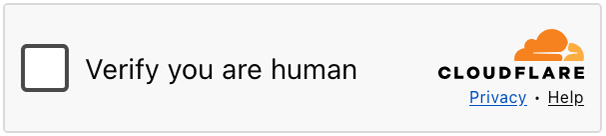
The image shown above is a simple graphic intended to illustrate what the Turnstile looks like. It is not functional. In most cases, verification happens automatically or requires you to check a box confirming that you are human. If the verification checkbox doesn't appear, won't respond or prevents you from signing in, creating an account or completing an order, please try the following steps. 1. Click the "Accept" Button on the Cookie Consent BannerIf you haven't already, click the "Accept" button on the cookie consent banner. Return to the page with the Cloudflare Turnstile verification and check to see if it now appears. If not, please proceed with the following steps. 2. Refresh the PageSometimes the security verification doesn't load correctly on the first attempt. Refresh the page and allow a few extra moments for the verification to appear. If your internet connection or our server is operating a bit slowly, it can sometimes take an extra moment for the turnstile to appear. If you're using a mobile device, try closing and reopening the page. 3. Try a Different BrowserIf the verification still doesn't appear, try accessing our website using a different, up-to-date browser, such as Chrome, Firefox, Safari or Microsoft Edge. Older browsers or certain browser settings may interfere with Cloudflare's verification process. 4. Check Browser Extensions and Privacy SettingsSome ad blockers, privacy extensions and security software can prevent Cloudflare's verification from loading. If you use these tools, try temporarily disabling them for our website, then refresh the page. Only make changes to settings you're comfortable adjusting, and re-enable any protection afterward. 5. Make Sure JavaScript Is EnabledCloudflare Turnstile requires JavaScript to function. Most browsers enable JavaScript automatically, but if you've disabled it or use an extension that blocks scripts, the verification may not appear. 6. Try a Different Internet ConnectionSome VPNs, firewalls, network filters and security settings can interfere with Cloudflare verification. If possible, try switching from Wi-Fi to a cellular connection or using another trusted network. If you're connected through a VPN, temporarily disconnecting may help. 7. Check Your Browser's Date and Time SettingsAn incorrect date or time on your device can occasionally interfere with security verification. Make sure your device's date, time and time zone are accurate, preferably using automatic settings. 8. Use Cloudflare's Troubleshooting ToolCloudflare provides a diagnostic page that can help determine whether your browser and internet connection are able to complete its security verification. Cloudflare Diagnostic Tool: Open the link in the same device and browser where you're experiencing the problem and follow the instructions. Still Having Trouble?We're sorry for the inconvenience. If you've tried these steps and still cannot complete the security verification, please email our Web Team for assistance. When contacting us, please include:
If you tried Cloudflare's diagnostic tool, please let us know whether it completed successfully or reported an error. Please do not send us your password, payment card information or other sensitive account details. We appreciate your patience and your help in keeping From Nature With Love secure. |
Do You Have Product Questions?
Our goal is to empower every customer with the knowledge needed to make informed and confident product decisions.
Clicking the button above should open your email application.
If it doesn’t, you can reach us directly at [email protected].



“I don't know where my business would be without you!”
“My customers absolutely love the products that I create using the raw ingredients and beautiful botanical butters and oils that I source from you! You are my most beloved supplier. I don't know where my business would be without you! Your customer service is top notch. Everyone that I have ever dealt with has been so sweet and helpful. Truly grateful for you!”
TARA STECCATO, TARA’S NATURALS, SADDLE BROOK, NJ